Selective Insurance Login Issues

Oct 10, 2025
 30
30
Selective
If User logs into Selective and cannot see their settings, do the following:
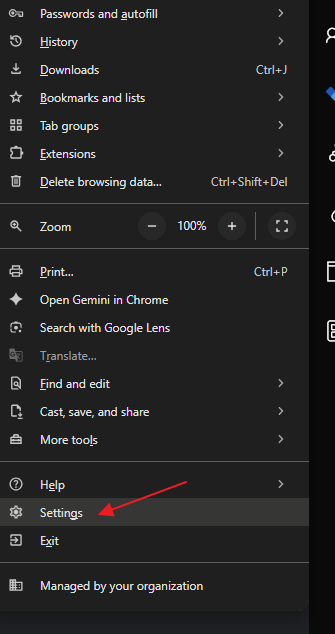
Click on the three horizontal dots, then click Settings:
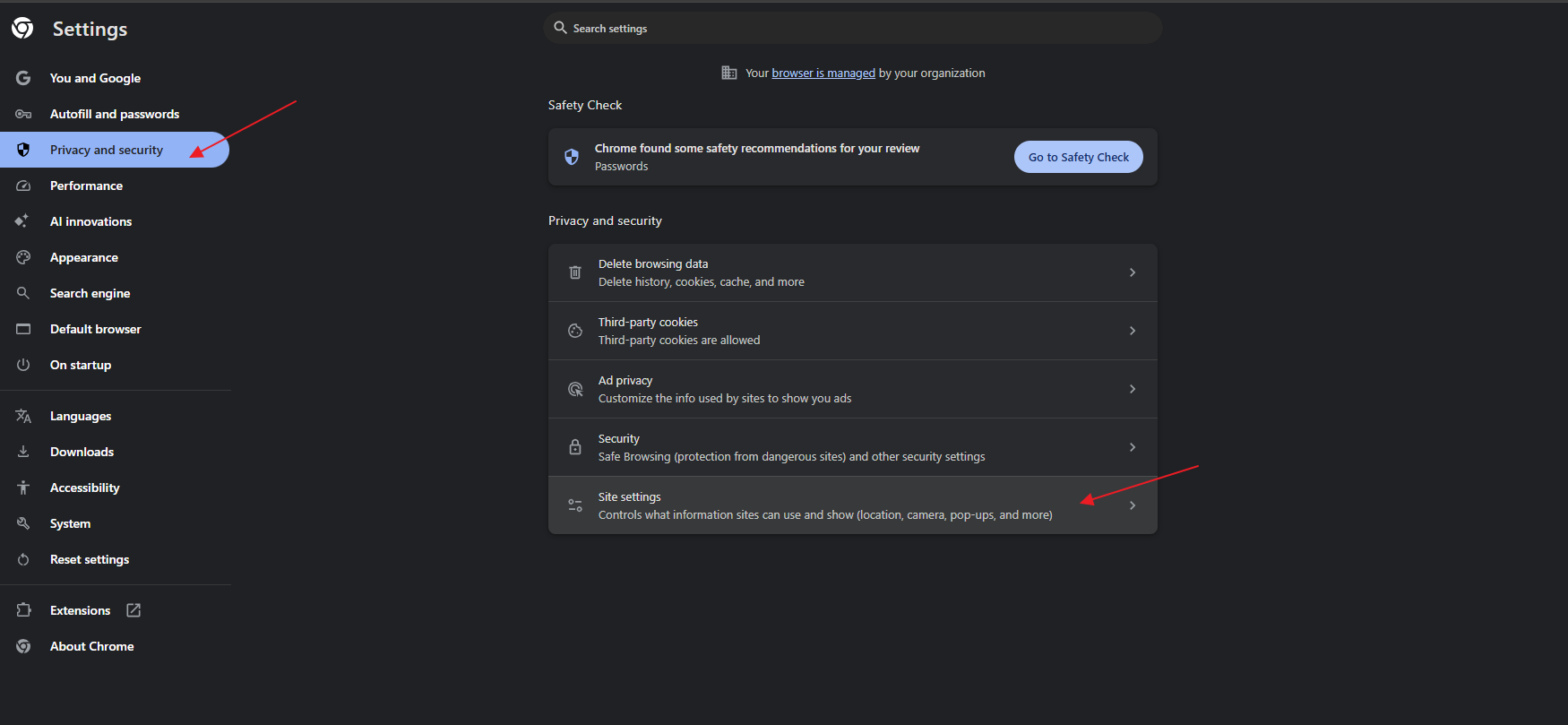
Click on Privacy and security followed by Site Settings:
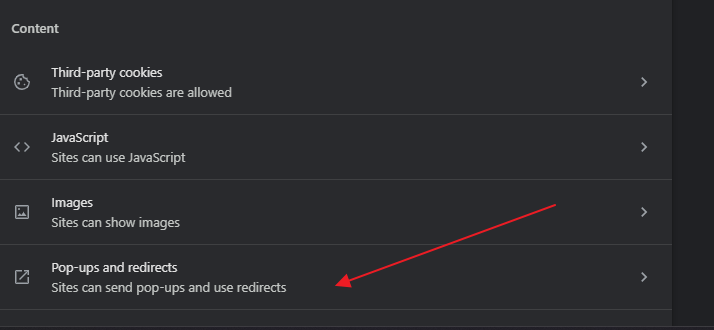
Click on Pop-ups and redirects:
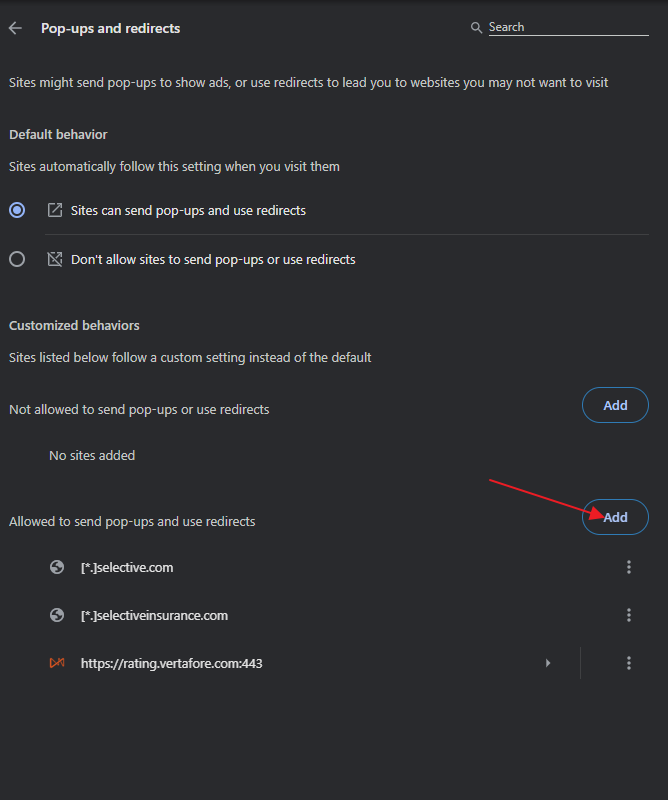
Look for Allowed to send pop-ups and redirects and then choose Add.
You will need to do this twice; once for [*.]selective.com and once for [*.]selectiveinsurance.com: