


How to Login to Zscaler

Mar 26, 2025
 71
71
Logging into Zscaler
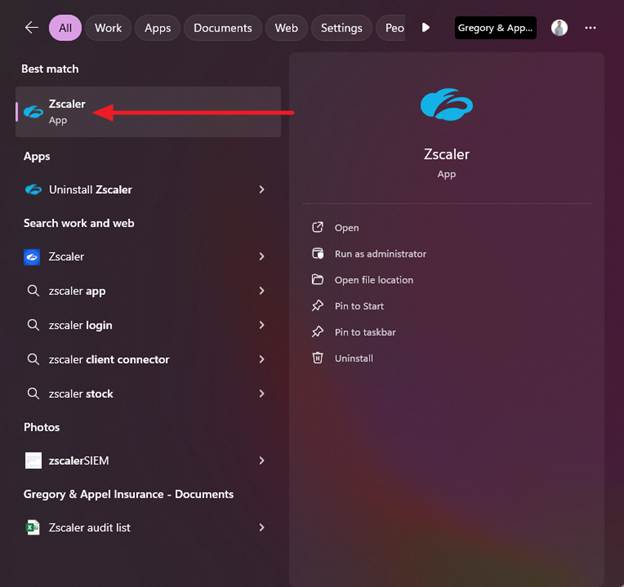
- Navigate to your search bar next to the start button and type in Zscaler and click on the Zscaler application.
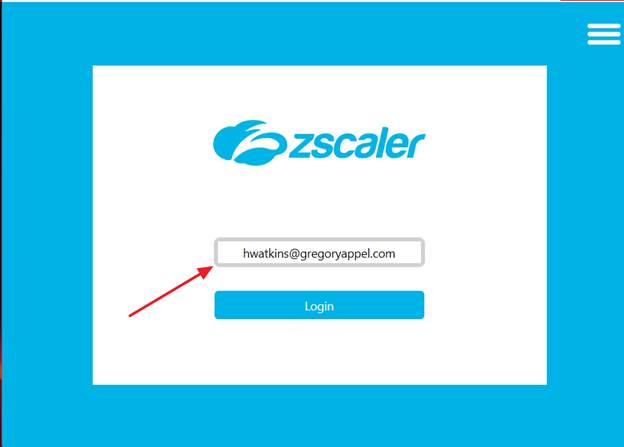
- Once the application opens, type in your username and hit enter. For some people this will automatically log you in. If it does not, a Microsoft authentication window will pop up, and you just sign in using your e-mail address and password.
- That’s it. You are now logged into Zscaler, and have made the company more secure by doing so.

