


Outlook Epic Add-in

Mar 13, 2025
 288
288
To setup the Applied Epic Outlook Add-in follow the steps below
- Locate the add in on your toolbar in Outlook and click on the arrow in the bottom right corner
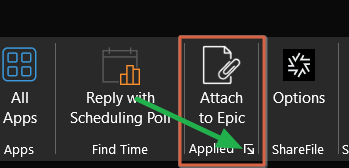
2. When the next window pops match the settings to the image below and fill out the URL box with this: https://grego06.appliedepic.com/
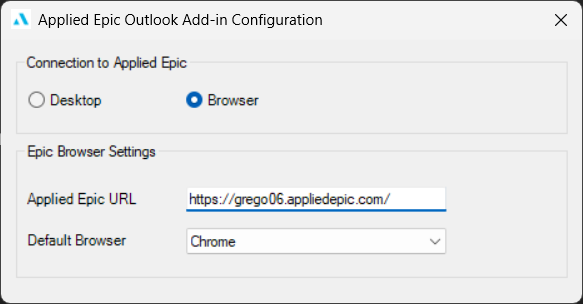
3. Click on the X in the top right to finish and restart Outlook for the changes to take effect.

