


Text Notifications

Jan 28, 2025
 13
13
-
How to enable text notifications in Zoom
By default, Zoom does not send any sort of notifications when a SMS message is received to a Zoom phone number. To enable this you will need to open the Zoom desktop app as the user and go to Settings > Team Chat and enable the following settings:
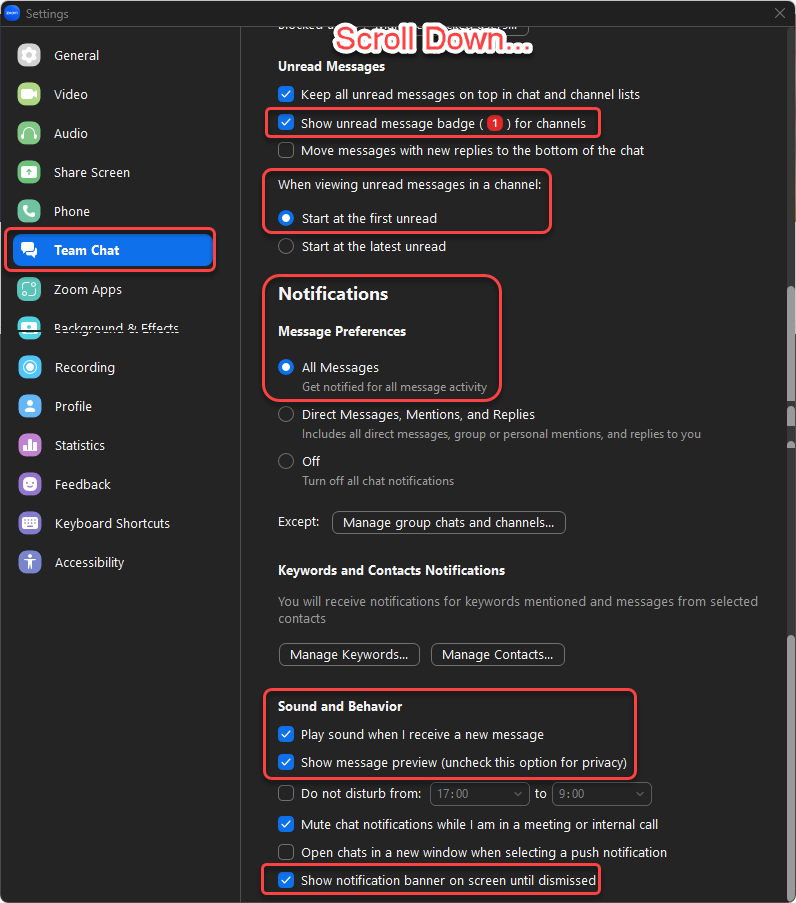
Assuming notifications are enabled for the Zoom mobile app, the user should start receiving notifications when they get a text to their Zoom phone number.

